WeGlow Events: setting up open and closed events
With WeGlow Events you bring every action around an event onto one page, closed for one organisation or open to several charities.
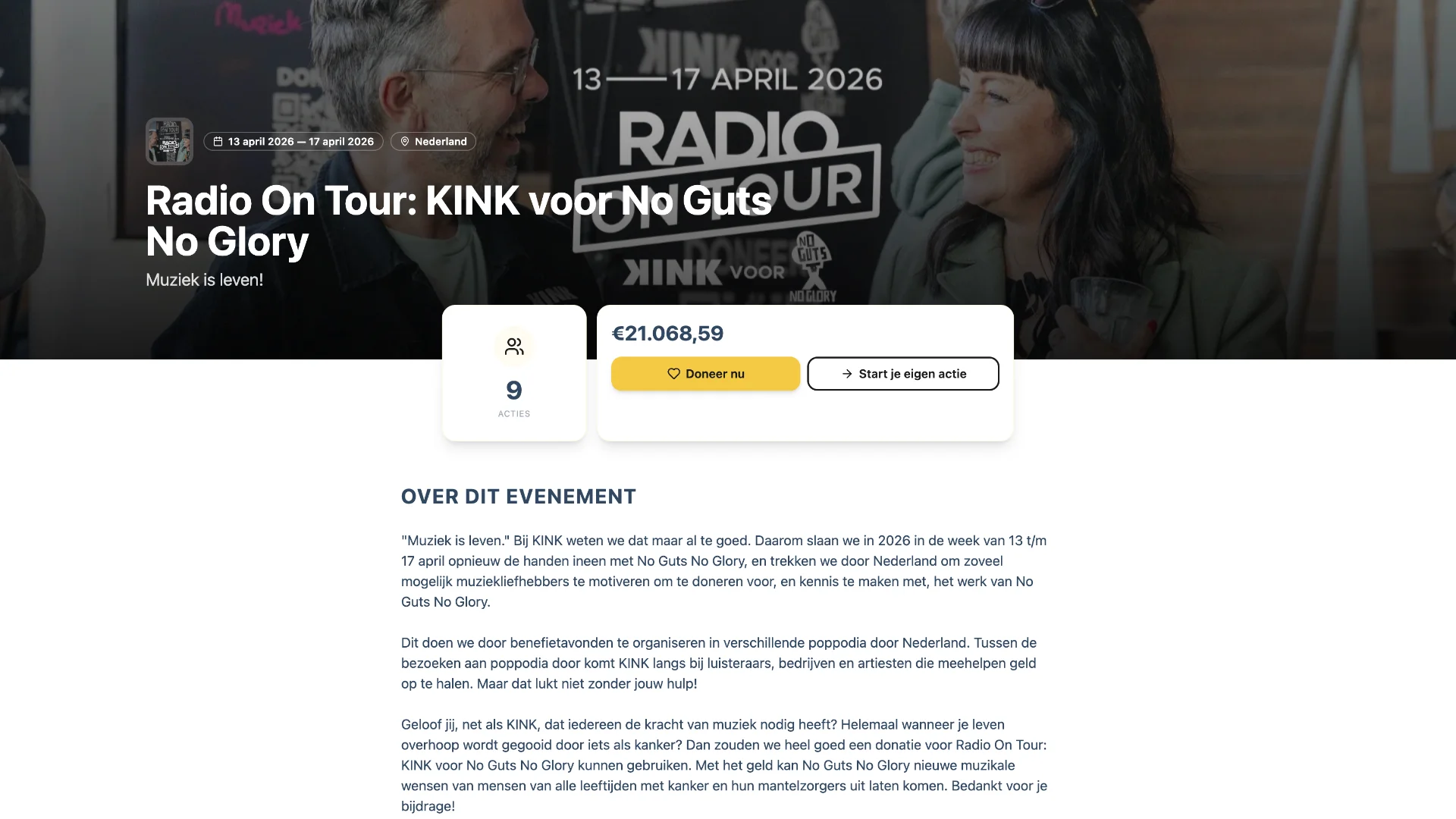
WeGlow Events brings everything around an event onto one page: a live total, participants' fundraising pages, teams and sponsors. A closed event belongs to one organisation, while at an open event every participant picks their own charity. You can also sell tickets. This is how it works, who it is for and what else to know.
What is WeGlow Events?
One event page where participants start their own fundraising page and donors support them. You decide which blocks are visible and in which order. The page can show the following parts.
- A countdown and a description of the event.
- Tickets, if you sell them.
- The participating charities.
- A live overview of recent donations and a leaderboard.
- Participants' fundraising pages and their teams.
- Updates from participants, sponsors and frequently asked questions.
Closed or open event?
A closed event belongs to one organisation and everything it raises goes to her. At an open event several charities take part and each participant chooses which charity they raise money for.
| Type | Who receives the proceeds | Suits |
|---|---|---|
| Closed | One organisation | Sponsored run, benefit evening, your own campaign |
| Open | Several charities, chosen by the participant | City run, shared walk, coalition of charities |
A charity signs up for an open event through its own dashboard, with a short motivation. The request is pending at first and only counts after approval. A charity can also be invited.
How does it work for participants?
- Open the event page and choose to take part.
- Log in or create an account.
- Build your fundraising page: story, goal and photo. The page takes the event's colours and logo. At an open event you also pick the charity.
- Share your page. Every donation counts towards the event total.
Signing up alone is not enough. In its 2025 benchmarks, Raisely reports that 76% of registered participants activated a page, but that average revenue per participant fell 20%, from 308 to 244 (the source does not name the currency). So help participants with a story and a first donation.
Can I also sell tickets?
Yes. An event can sell tickets, and the buyer can add an extra gift for the organisation at checkout. The checkout screen shows a service fee of 5%. The buyer can cover it; if they do not, the organisation bears it.
You can read more about the practice in the article on selling tickets for a charity event.
Example: the Hagelandse 101
In 2026 the Hagelandse 101 was an open event on WeGlow.world. The 101-kilometre walk in and around Leuven set off on 4 September 2026 at 9.01 pm, according to the organiser, without a competitive element. Walkers could raise money for a charity of their choice. Read more in the article on the partnership.
Stichting No Guts No Glory also used WeGlow Events for Radio On Tour with KINK, in the week of 13 to 17 April 2026 (KINK). Participants each started their own fundraising page.
Want to set up an event yourself? Register your organisation or get in touch.
Frequently asked questions
What is the difference between an open and a closed event?
A closed event on WeGlow.world belongs to one organisation, which receives everything it raises. An open event admits several charities. Each participant then chooses which charity they raise money for, and a charity takes part after approval.
How does my charity join an open event?
In your WeGlow.world dashboard you see the open events your organisation can take part in. You apply with a short motivation. The request stays pending until the organiser approves it, and being invited is possible too.
Can participants choose their own charity?
At an open event on WeGlow.world they can: the participant picks the charity while building their fundraising page. At a closed event everything goes to the organisation that runs the event. Which type you choose is decided when you set the event up.
Can I put the event page in my own style?
Yes. On WeGlow.world you set the event's colours, logo and banner image. Participants' fundraising pages take on that look. Which blocks the event page shows, and in which order, you manage in the same settings.
Read next
- Hagelandse 101 and WeGlow: walking for a charity
- WeGlow Donate: from one-off to monthly giving
- Let donors cover the platform fee on WeGlow
Sources
Checked on 3 October 2026.
- Raisely, peer-to-peer benchmarks 2025: 76% activation, revenue per participant from 308 to 244.
- Hagelandse 101: 4 September 2026, 101 kilometres, 9.01 pm start in Leuven.
- Wandel.be: distances, €70 price for 101 kilometres, no competitive element.
- KINK, Radio On Tour 2026: 13 to 17 April 2026.