Community fundraising: let supporters raise for you
Supporters start their own action page for your organisation; you keep overview and control.
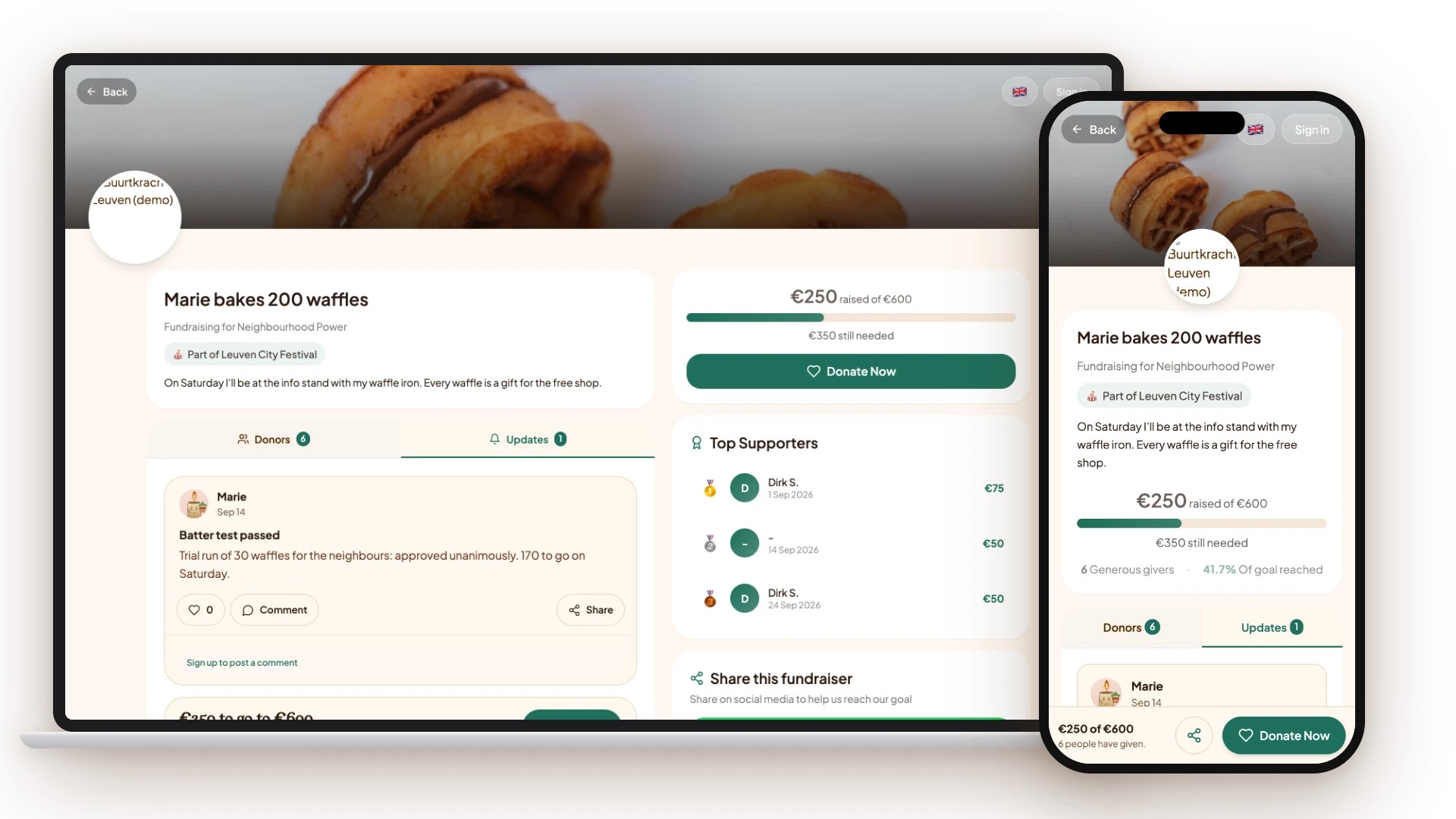
In community fundraising, a supporter starts a personal action page for your organisation, for example for a sports challenge or a birthday. They tell their story, set a goal amount and share the page in their own network. Every donation goes straight to your organisation’s payment account.
You decide which kinds of actions are possible through templates and can have new actions approved first. In your dashboard you see who is active, what the goal is and how much has been raised.
Key facts
How a supporter’s action runs, from creation to follow-up.
- Account
- Supporters need a free account; quick sign-up with first name, email and password, without blocking email verification
- Steps
- Story, photos, amounts and settings; a team step only inside events
- What the supporter sets
- Title, story, profile photo and cover image, goal amount, amounts and whether top donors are shown
- Approval
- Optional: new actions wait for your approval; on approval the supporter receives an email
- Money flow
- Donations go through your organisation’s payment account
- Overview
- Per action the creator, the goal and the amount raised in your dashboard
- Price
- Included in the Free plan (€0 per month), with 5% transaction costs on donations; Pro (€40 per month) adds widgets and upselling
How does a supporter start an action?
The supporter picks your organisation and an action type that you made as a template, and fills in a short flow: story, photos and amounts. A draft is saved straight away. After publishing they share the action page, and can still adjust story, photos and amounts later.
What does your organisation do?
You make the templates, decide whether new actions are approved first and follow everything up in the Fundraising tab of your dashboard. You can approve, decline, archive or delete an action. Declined actions go back to draft.
What about teams?
Inside an event, participants can form a team. A team page shows the amount raised, the number of members, progress towards the team goal and the days left. Teams exist only inside events, not for standalone actions.
Frequently asked questions
Do supporters need to create a WeGlow account?
Yes. A supporter signs up for free with first name, email and password and then lands straight in the editor for their action. A blocking email verification is not needed for this.
Where do the donations go?
To your organisation’s payment account. Every donation on an action page is linked to your organisation and processed through your own Mollie or Stripe account, with no step through the supporter.
Can I see who starts actions?
Yes. In your dashboard you see for each action who created it, the goal amount and the amount raised. If approval is on, you also see the actions waiting for approval.
Can I have new actions approved first?
Yes, as an organisation setting. A new action then gets the status “awaiting approval” and only goes live after you approve it. The supporter receives an email about that.
Can supporters form a team?
Yes, inside an event. There a supporter can create or join a team, and the team gets its own page with total, members and progress.
Sources
Last updated: